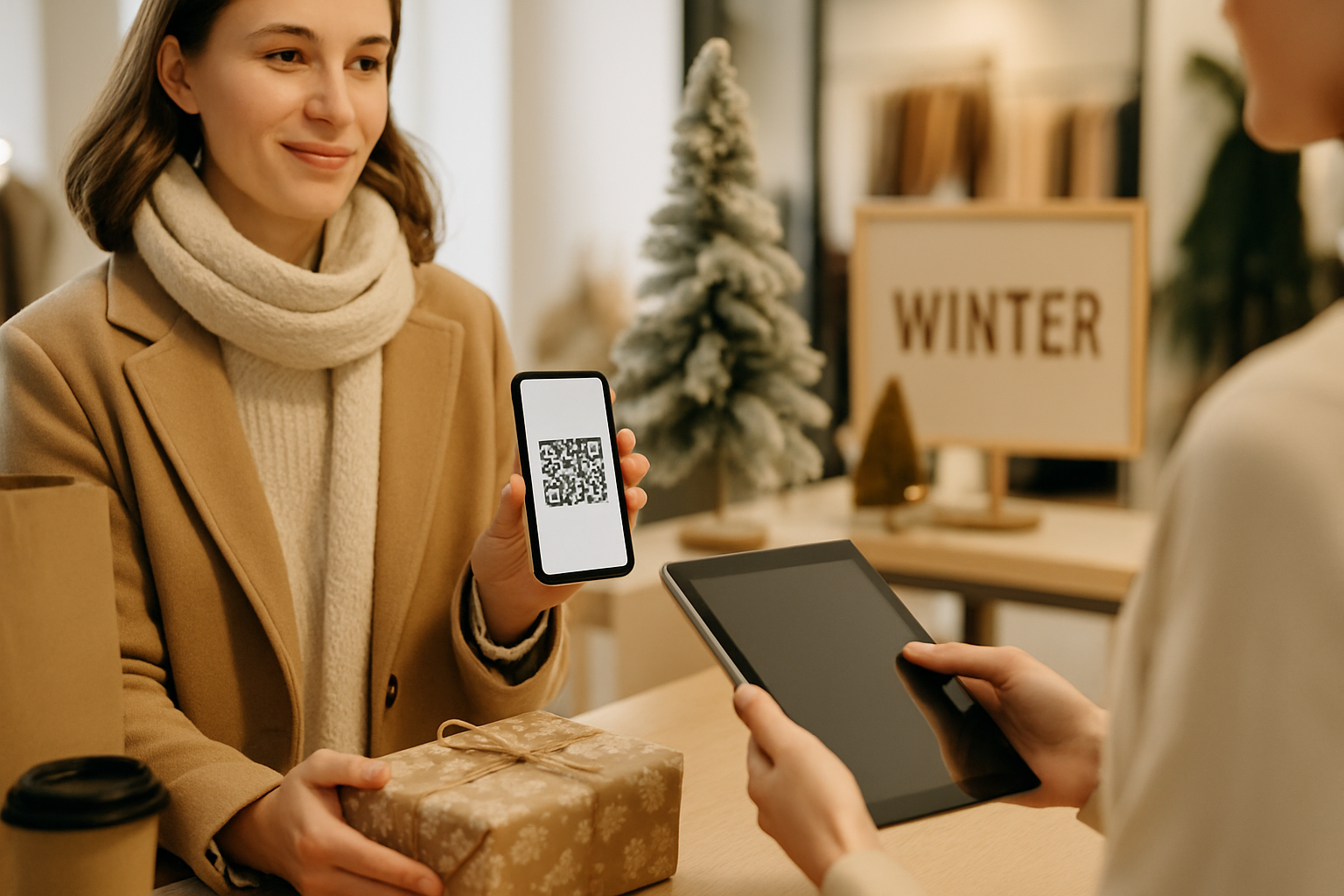
Winter is the most forgiving season for QR code campaigns — customers are already in buying mode, foot traffic is predictable around key dates, and printed materials have a longer shelf life than a weekend pop-up. The problem most small businesses run into isn't motivation; it's running the same generic "scan for a discount" placement they used in spring and wondering why it underperforms in December.
These six tactics are built specifically for the winter window: roughly November through late January, covering the holiday rush, New Year, and the slow-burn post-holiday period.
1. Gift Card Activation via QR Code
Printed gift cards are a winter staple, but a surprising number of retailers still direct buyers to a clunky homepage to check the balance or register. Replace that with a dedicated QR code that lands on a single-purpose page: register the card, check the balance, or browse the top items that card can buy.
Why it works in winter: Gift cards are often purchased as stocking stuffers and activated in January. That second scan — when the recipient finally uses the card — is your best chance to capture a new customer. Track that activation event as a separate conversion in your analytics.
2. Countdown Offers with Time-Gated Dynamic Codes
A static QR code printed on a window cling or mailer can only send people to one destination. A dynamic code lets you update the destination without reprinting anything — so the same code can show a "12 Days of Deals" landing page on December 1st and automatically redirect to a clearance sale on December 26th.
If you haven't used dynamic QR codes before, the guide to static vs dynamic QR codes explains exactly when the URL-editing flexibility justifies the small monthly cost. For campaigns spanning more than two weeks, it almost always does.
3. In-Store Gift Wrapping Station Codes
Set up a QR code at your gift wrapping station (or near the checkout queue during peak weeks). Link it to a short video showing three gift-wrapping techniques using your products, or a curated "gift ideas under $50" collection. Customers standing in line will scan out of genuine curiosity.
This placement works because it's contextually obvious — people are thinking about gifts at that exact moment. It also costs nothing beyond the printed code and a decent landing page.
4. Post-Holiday Retention Loop (Jan 2–31)
The post-holiday period is the season most campaigns ignore, and that's an opportunity. January buyers are often using gift cards, returning items, or spending holiday cash. A QR code on your receipts, packaging inserts, or return slips that links to a "Welcome back — here's what's new in January" page creates a low-cost retention loop.
Pair this with a UTM parameter so you can distinguish January-return traffic from your regular direct traffic in your dashboard. The QR code analytics guide covers how to set up UTM-tagged destinations properly if you haven't done this before.
5. QR Codes on Seasonal Packaging
Limited-edition winter packaging is common in food, beverage, and gift retail. Embedding a QR code directly into the packaging design — rather than adding it as a sticker afterthought — opens up two useful options:
- Recipe or pairing content: A hot cocoa mix brand linking to a recipe video. A wine shop linking to a food pairing guide.
- Limited-run storytelling: A short page explaining the design, the maker, or the charity the seasonal SKU supports.
For packaging, contrast and module clarity matter more than usual because the code is often printed small on a curved or textured surface. Before going to print, review the color contrast rules for QR codes — a common failure point on kraft paper or metallic finishes.
6. New Year Resolution Campaigns
New Year campaigns tend to be fitness, finance, or learning oriented depending on your industry, but the QR mechanic is consistent: a physical trigger (a flyer, a receipt, a product label) leading to a goal-tracking tool, a challenge sign-up, or a personalized recommendation quiz.
The key distinction from a generic discount code: you're giving the customer something useful, not just a coupon. This builds a small amount of goodwill that discount-only campaigns never achieve.
If you're running this across multiple locations or product lines, consider using separate codes per location so you can see which physical placements are actually converting. Small businesses using QR codes this way are seeing scan-to-lead rates that offline-only campaigns can't match — more examples of what's working in practice are covered in how small businesses are winning with QR codes in 2026.
Timing Reference: Winter Campaign Calendar
| Date Window | Best Tactic |
|---|---|
| Nov 25 – Dec 1 | Gift card activation setup, countdown offer launch |
| Dec 2 – Dec 24 | In-store placements, packaging codes live |
| Dec 25 – Jan 1 | Time-gated redirect to clearance/gift-use landing page |
| Jan 2 – Jan 31 | Post-holiday retention loop, New Year challenge QR |
Avoid This Common Winter Mistake
Printing a batch of QR codes in November and never checking them again. Dynamic codes give you the flexibility to fix a broken destination or update an expired offer mid-season without touching the physical material. If you're using static codes for any winter placement, test every single one before it goes up and build a reminder to retest them on December 26th.
You can generate and manage your winter campaign codes directly from the Super QR Code Generator — including setting up separate codes per placement for proper attribution.
Key Takeaways
- Use dynamic QR codes for any placement that spans more than two weeks so you can update destinations without reprinting.
- Gift card activation and post-holiday retention (Jan 2–31) are two underused touchpoints with high-intent audiences.
- In-store placements work best when they're contextually obvious — gift wrapping stations, checkout queues, seasonal packaging.
- Always use UTM parameters so you can separate winter campaign traffic from baseline traffic in your analytics.
- Test codes on the actual printed surface (kraft paper, metallic foil, matte plastic) before committing to a full run.